WordCraft and Claude: an open-source word processor that speaks MCP
We tested WordCraft, a new open-source word processor with a built-in MCP server, on real accessibility work. Here is what we set up, what we found, and what we contributed back.
This week we did something we rarely do: we adopted brand-new software on day one. Our rule is to wait 14 days after any release before installing it, because that is roughly how long it takes for a broken or compromised release to be noticed. WordCraft made us break it, and this post explains why, what we built around it and what we gave back to the project.
What WordCraft is
WordCraft is a free, open-source word processor written in Rust. It opens and saves Word documents (.docx) and runs on macOS, Windows and Linux, with a web version too. It is young and moves fast: three releases in four days while we were testing it.
Three things convinced us to try it straight away:
- It is fast. On our Mac it opens in under a second, against three to four seconds for Microsoft Word.
- It is light. No account, no subscription, no background services.
- It has an MCP server built in. MCP (Model Context Protocol) is the open standard that lets an AI assistant work with your tools. WordCraft ships with it, so Claude can read, edit, check and export documents directly, without copying and pasting.
That last point is what changes the way we work with .docx files, and why we made an exception.
How we set it up
Out of the box, WordCraft's MCP can work on files, or connect to the app while it is open. We added a few things around it so that it fits our daily work:
- One folder only. The file-based server is confined to a single working folder: it cannot read or write anything outside it.
- The app on demand. Claude can work on the document open on screen, and can open or close WordCraft when we ask, never on its own. When the app is closed, Claude simply says so instead of failing.
- The same setup on Windows. We wrote a setup guide for colleagues on Windows, adapted from our Mac configuration.
We will publish the technical details in a separate post.
How it compares with Word
We opened the same documents in both. Pagination matched on a three-page and a seven-page report, with identical margins. The one visible difference was the vertical spacing between paragraphs, where WordCraft added up the space Word takes the larger of. The project fixed it in version 0.7.0.
The accessibility test
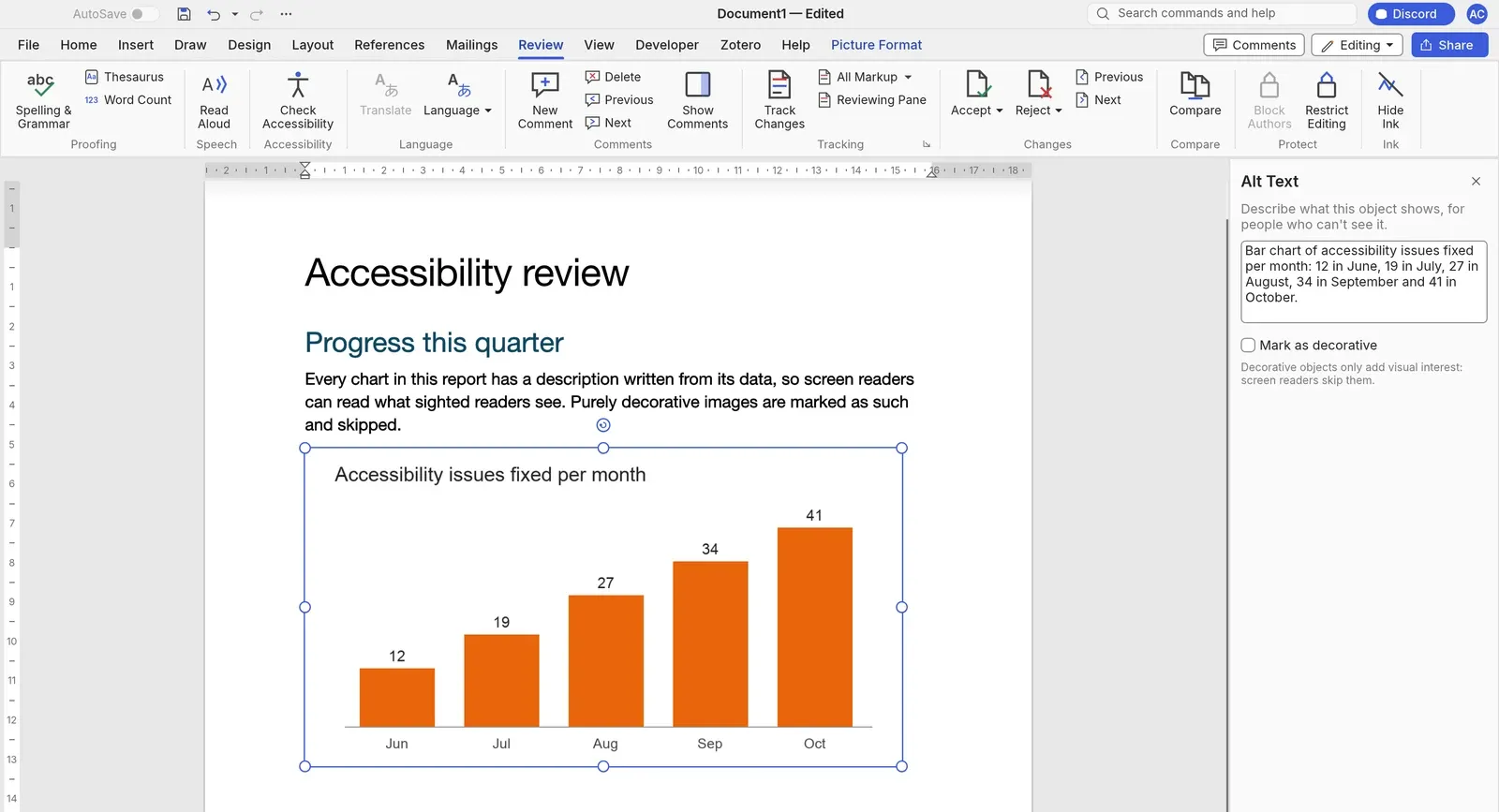
Accessibility is a large part of our work, so we tested WordCraft on an old internal report. Claude set the document language, wrote alternative text based on the data in each chart, removed an empty heading, and exported the result as PDF.
The tagged PDF from WordCraft carried the document language, a real heading structure and bookmarks. The PDF we got from Word on the Mac through Print to PDF had no tags at all, which makes it close to unusable with a screen reader.
The test also showed us where WordCraft is still incomplete:
- alternative text on pictures placed in the text was lost in the PDF;
- pictures marked as decorative were still announced by screen readers;
- tables and lists are not tagged yet. This one is a known limitation, so we did not report it.
What we contributed
- A bug report. On 13 October we reported that pictures in the text lost their alternative text in the PDF (issue #1502). Another contributor proposed a fix within hours (pull request #1526); we tested it and it was merged the next day.
- Decorative pictures. Our pull request #2086 makes pictures marked as decorative invisible to screen readers, in PDF, HTML and Markdown exports.
- Shapes with a description. Our pull request #2099 makes shapes that carry a description, such as an arrow or an icon that means something, readable as figures, instead of being silently skipped.
Both pull requests are waiting for review.
How we worked
In the spirit of transparency: most of the investigation, the code and the tests were done by Claude (Anthropic), model Opus 5.5 at medium effort, with human review by Alan Curtis. Every contribution says so explicitly.
This post is a small first, too: it is the first one on our site prepared from the Claude mobile app, through the Frontedo MCP connector we built. Claude wrote the drafts in English, Italian and Spanish, set the tags and attached the cover image; publishing stayed with a person.
For now
We keep client documents out of WordCraft while it is at version 0.x and changes this quickly. For internal work and accessibility checks, it has already earned a place in our toolbox.
Because accessibility is not a feature. It matters, a lot.