Chatterence now keeps the conversation across your sites
When you talk to a website's assistant, the conversation should still be there when you open a new tab or move from the main site to its shop.
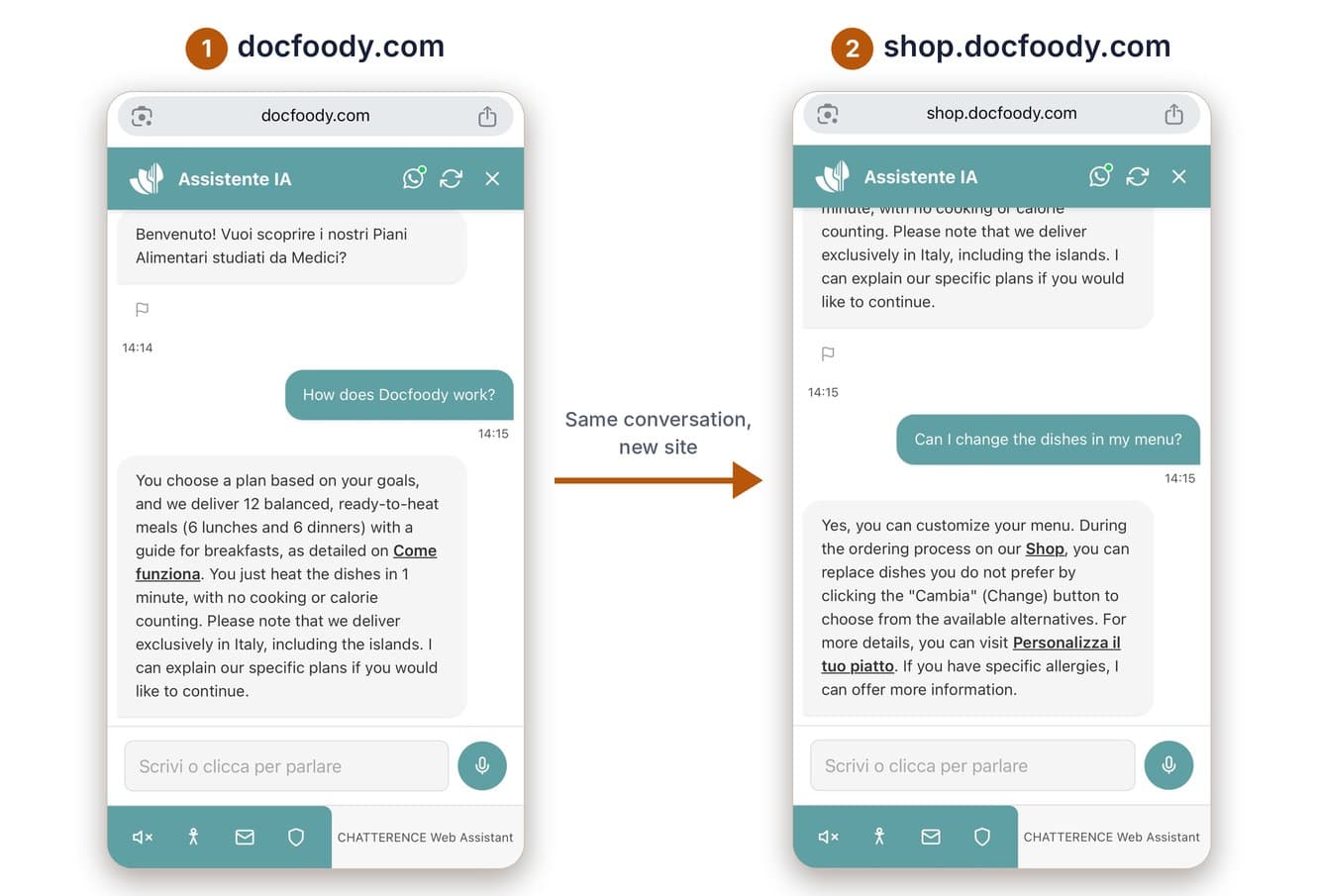
A visitor asks Chatterence a question on a company’s website, then opens the online shop, often at an address like shop.company.com, to look at a product. Until now, that was where the conversation ended: new site, empty chat, the same question typed again. This update fixes that, and a few things around it.
The conversation follows the visitor
Chatterence Web Assistant now carries the same conversation across tabs, and from the main site to the shop and back. A message written on one site is waiting on the other. If the visitor resets the chat on one page, it resets everywhere, so nothing old is left behind. It all happens only after the visitor gives consent, and only between sites of the same company.
Built for shops and slow connections
Getting there meant fixing how a chat opens. On a slow phone connection, a message typed while the page was still loading could end up in the wrong place. The assistant now opens exactly one conversation, however many things happen at once, so every message arrives once and gets its answer.
Shops needed a layout change too. Many keep a bar at the bottom of the page with the price and the buy button, and a chat bubble on top of it is the last thing a shop owner wants. The assistant can now sit in a different position on each site: on the shop it moves just above the purchase bar, while on the main site it stays where it was. It still never appears on the cart, checkout, login or personal area.
Clear when you talk to an AI
The assistant can also listen and speak. People should always know they are talking to an AI, and the EU AI Act sets transparency rules for it, so the notice now appears at the moment the voice conversation starts, once instead of twice. Spoken replies also play correctly on Chrome and Safari, including iPhone.
Two smaller fixes: the “Connection successful” line no longer stays on screen in the consent box (screen reader users still hear it once), and a continued conversation no longer ends with a second “Hello!”.
Tested on real phones, and what comes next
We tested the full journey on a real iPhone with Safari, in both directions, across tabs and with resets. Every change also goes through a screen reader check, automated tests and two independent AI reviews before it goes live.
Next, we are working on a single consent confirmation for the whole company instead of one per site, and on voice messages that follow the visitor between sites, as text messages already do.